


Sidekick is TrendSpider's AI trading assistant, and unlike general-purpose AI chatbots, it can actually do things inside the platform. It sees your charts, reads your watchlists, runs scans, sets alerts, pulls SEC filings, reads earnings call transcripts, and synthesizes technicals, fundamentals, and alternative data in one place.
This guide covers prompting best practices, a full library of ready-to-use prompts, and a breakdown of every Sidekick personality and when to use it.
In This Guide
Video Walkthrough
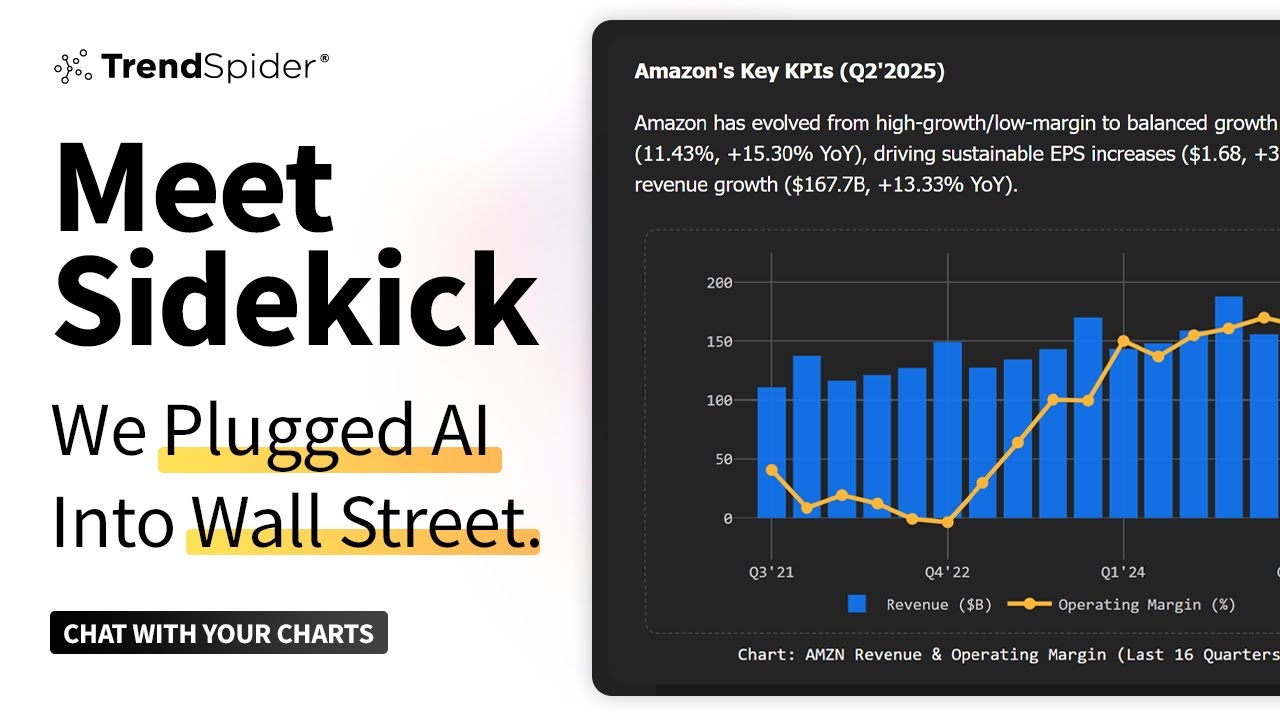
Watch a quick overview of how Sidekick works and what it can do before diving into the guide.
Watch: Sidekick walkthrough
Prompting Best Practices
Customize Your Root Prompt
The root prompt is a set of standing instructions that runs before every message you send. Describe your trading style, timeframes, and preferred indicators once, and Sidekick carries that context into every answer automatically, without you repeating it.
Example Root Prompt
"I am a swing trader focused on US equities. I hold positions for 3 to 10 days. I use RSI, EMA 8/21, and relative volume as my primary indicators. I care about earnings proximity and insider activity. Always give me a direct answer, I don't need lengthy disclaimers. Format tables when comparing multiple stocks."
Set Your Personality Before You Start
Best Practice
Match the personality to the job. Use Karen when you want your thesis challenged, Wall Street Dominator for options flow and momentum, Warren for long-term fundamental work. The wrong personality will give you a confident-sounding answer in the wrong frame, so pick deliberately before your first prompt.
Sidekick has six personalities, each with a genuinely different analytical lens. Select your personality in Sidekick's settings before starting a conversation. Once selected, that personality shapes every response in that session, and you cannot switch mid-conversation.
| Neutral | Balanced and factual. The default. Good starting point for any question. |
| Warren | Long-term investor lens. Fundamentals, compounding, and ignoring short-term noise. |
| Graham | Stoic and rational. Value-driven analysis with no emotional framing. |
| Sheldon | Data-first. Tables, charts, and raw numbers over narrative. |
| Karen | The skeptic. Challenges your thesis and finds the flaws you might be ignoring. |
| Wall Street Dominator | High-energy retail trader perspective. Ideal for options flow and momentum plays. |
Anatomy of a Great Prompt
A strong prompt has four parts:
| Action | What to do. Scan, Set alerts, Add, Code, Go deep. |
| Scope | What universe. The S&P 500, my watchlist, the NASDAQ 100. |
| Filters | The conditions. RSI below 35, volume above 1.5x, revenue growth positive 3 quarters. |
| Output | How to present results. Rank by relative volume, show the top 10, format as a table. |
Example: All Four Parts
"Scan the S&P 500 for stocks with a bullish EMA 8/21 crossover on the daily, RSI between 50 and 65, and relative volume above 1.5x. Rank the results by relative volume and show me the top 10."
You don't always need all four parts. A simple question like "What is the RSI on NVDA?" works fine. But for scans, alerts, and actions, the more specific you are, the better the result.
Weak vs Strong Prompts
|
Too Vague "Find me some good stocks" |
Strong "Scan the Russell 2000 for small-cap stocks with revenue growth positive for 3 consecutive quarters, RSI between 45 and 65, and price above the 200-day SMA. Rank by revenue growth rate." |
|
Missing Context "Set an alert" |
Complete "Set an alert on TSLA to trigger when the daily RSI crosses above 60 for the first time after being below 40." |
The Five Power Words
| "Scan..." | Runs a live scan and returns results. Always add a universe and filters. |
| "Set alerts..." | Deploys live alerts. Can cover up to 20 tickers at once with one message. |
| "Add..." | Takes action on your workspace. Adds to watchlist, draws on chart, adds color tags. |
| "Code..." | Builds a custom JavaScript indicator. Describe any calculation and Sidekick builds it. |
| "Go deep..." | Triggers multi-agent mode. Sidekick spawns parallel sub-agents that each investigate a different dimension of your question simultaneously, then synthesizes their findings. |
Pro Tips
Tip 1. Know when to "go deep"
Adding "go deep" to any prompt spawns multiple sub-agents that research your question in parallel across fundamentals, flow, filings, technicals, and more, then synthesize one answer. Use it when your question touches multiple data sources at once. Full stock due diligence, ranking a sector, comparing tickers head-to-head, or auditing a portfolio for risk. It takes longer but the output is significantly more thorough.
Tip 2. Combine prompts into a single workflow
Sidekick can execute multi-part instructions in a single message. "Find stocks with significant news today from my watchlist. Rank by relative performance. Then set alerts at key support levels on the top 3 names." That is scan, rank, and alert deployment in one prompt.
Tip 3. Say "on my list" to pick from your watchlists
When you include "my list" in a prompt, Sidekick gives you a dropdown to select from any of your saved watchlists. You do not have to type the watchlist name or remember what you called it. Just say "scan my list for relative strength" and Sidekick will ask which watchlist to use before running the scan.
Tip 4. Set your root prompt once and stop repeating yourself
Set it once with your trading style, timeframes, and preferred indicators. Every answer is calibrated to your workflow automatically.
Tip 5. Ask for a ranking, not just a list
Tell Sidekick how to sort. "Find breakout stocks in the NASDAQ 100. Rank by relative volume. Show me the top 10 only."
Tip 6. Choose the right personality before starting
Select your personality in Sidekick settings before opening a new conversation. Use Karen to stress-test your thesis. Wall Street Dominator for 0DTE flow and momentum. Warren for long-term fundamental analysis. The personality shapes every response in that session.
Tip 7. Know what Sidekick works with
Can do: Research any ticker, run live scans, deploy alerts on up to 20 tickers, draw on charts, add to watchlists, analyze earnings transcripts, read FRED data, interpret options flow, build custom indicators.Cannot do: Browse the internet, execute trades, create strategies or bots directly (use the Strategy Tester), access data outside TrendSpider's feeds.
Prompt Examples
Stock Research
| Complete stock brief | "Give me a complete picture of [TICKER]. 8 quarters of earnings trend, gross margin direction, insider activity in the last 90 days, unusual options flow this week, and what the daily chart looks like technically. What is the bull and bear case?" |
| Fundamental deep-dive | "Deep-dive on [TICKER] over the last 6 quarters. Revenue growth trend, gross margins, free cash flow, and debt levels. Is the business improving, deteriorating, or mixed? Give me a clear verdict." |
| Read an earnings call | "Read the most recent [TICKER] earnings call transcript. What are the three most important things management said about forward guidance? Did the tone sound confident, cautious, or defensive?" |
| Compare tone across quarters | "Compare the last 4 earnings calls for [TICKER]. How has management language around their key business driver changed over time?" |
| Track insider buying | "Research my watchlist and outline all insider buying in table format. Include company name, buyer title, date, and total dollars spent. Sort by most recent." |
| Congressional trading | "Which sectors have had the most Congressional stock purchases in the last 30 days? Show me the largest trades and flag any that overlap with recent legislation." |
| Peer valuation comparison | "Compare [TICKER] P/E ratio against the other names in its sector. Which trade at a discount and which at a premium? Is the discount or premium justified based on growth and profitability?" |
| Backtest analysis | "Analyze my current backtest results. Walk me through the key metrics, identify signs of overfitting, flag underperformance periods, and give me three things to test next." Best with Karen personality |
| Build a custom indicator | "Build me a custom indicator that plots the highest high and lowest low of the last 20 sessions as horizontal lines on my chart. Label each line." |
Finding Trade Ideas
| Breakout scan | "Scan the S&P 500 for stocks breaking above a 20-day high today with volume at least 1.5x their 30-day average. Rank by relative volume." |
| Pattern breakout | "Scan the S&P 500 for stocks breaking above a descending triangle, symmetrical triangle, falling wedge, or any channel on the daily chart where the breakout is happening today. Rank by relative volume." |
| Technical + fundamental | "Scan the S&P 500 for stocks where revenue growth has accelerated for 3 consecutive quarters AND the stock is trading above its 200-day SMA with RSI between 50 and 65. Rank by revenue growth rate." |
| Smart money confluence | "Find S&P 500 stocks where at least two are true in the last 30 days. CEO or CFO open-market buying, bullish unusual options flow above $500k premium, stock making new 52-week highs. Rank by confirming signals." |
| Oversold in uptrend | "Scan the S&P 500 for stocks where RSI has dropped below 35 on the daily chart but the weekly chart remains in an uptrend above the 50-week SMA." |
| Relative strength pullback | "Scan the S&P 500 for stocks with relative performance above 80 over the last year but below 80 over the last quarter. Strong longer-term names with recent underperformance. Rank by 1-year relative performance." |
Setting Alerts
| Watchlist protection | "Set alerts on every stock in my watchlist to notify me if any of them drop more than 5% from their 10-day high." |
| Trailing stop | "Create alerts across every stock in my Core Holdings watchlist. Alert me when any position closes more than 8% below its 20-day high on a daily closing basis." |
| Multi-factor alert | "Set a multi-factor alert on [TICKER] that only triggers if: (1) price closes above the 20-day high, (2) volume is above 1.5x the 30-day average, and (3) RSI is between 55 and 70. All three must be true simultaneously." |
| Trend break | "Set an alert on [TICKER] to trigger when the stock closes below its 21-day EMA for the first time after being above it for at least 10 consecutive days." |
| Earnings proximity | "Set alerts on every stock in my watchlist to notify me 3 days before their next earnings report." |
Analyze Charts
| Full chart read | "Analyze my current chart and define the trend, key levels, and highlight recent key events." |
| Draw key levels | "Identify the two most important support and two most important resistance levels on my current chart. Draw horizontal lines at each level and add a text label explaining why each is significant." |
| Historical levels | "Draw horizontal levels at last quarter's high, low, and close; last month's high, low, and close; and last week's high, low, and close on my current chart." |
| Multi-timeframe check | "I am considering entering a long position on [TICKER] based on the daily chart. Give me a multi-timeframe read. What is the weekly trend saying, what is the daily setup showing, and do the two timeframes agree?" |
Deep Research
How Deep Research Works
Adding "go deep" to any research prompt triggers multi-agent mode. Sidekick spawns parallel sub-agents that each investigate a different dimension of your question simultaneously. Fundamentals, flow, filings, technicals, macro context. Then synthesizes their findings into one comprehensive answer.
When to use it: Any time a question has multiple independent angles. Comparing tickers across data types, doing sector-wide due diligence, auditing a portfolio for hidden risks, or building a full investment thesis from scratch.
| Single stock deep-dive | "Go deep on [TICKER]. Fundamentals trend over 8 quarters, revenue growth rate, margins, P/E vs sector median, recent insider activity, unusual options flow this week, analyst consensus, and daily chart structure. Give me a bull and bear case." |
| Rank a sector | "Go deep on the top 10 stocks in [SECTOR]. Rank them by fundamental strength, recent insider buying, unusual options activity, and relative performance vs the S&P 500. Which names have the strongest setup right now?" |
| Scan-to-research pipeline | "Scan the S&P 500 for stocks within 1% of their 50 SMA with positive revenue growth 3 consecutive quarters. Then go deep on the top 5 results. Rank by earnings quality, insider activity, and options flow conviction." |
| Strongest sector + leaders | "Go deep across the market and identify the strongest sector, then research the top 20 market cap names in that sector, and rank them based on Risk:Reward over the next 12mo using all the data you have access to." |
| Full analyst summary | "Go deep on every stock in my watchlist. For each, provide a full research summary the way a senior equity analyst at a top investment bank would. Fundamentals trend, earnings quality, valuation vs peers, recent insider and institutional activity, options flow sentiment, and technical setup. End each with a clear verdict: accumulate, hold, or reduce. Rank the full list by overall conviction." |
| Portfolio risk audit | "Go deep on my watchlist. Identify any overlapping risks. Sector concentration, shared supply chain exposure, or similar revenue sensitivity to the same macro factor. Where am I most exposed?" |
Macro Research
| Morning macro briefing | "Give me a top-down market read for today. Start with macro. What are rates, the yield curve, and market breadth telling us? Then tell me which sectors are leading and lagging. Then give me the two or three setups that make most sense given that backdrop." |
| Rate regime positioning | "Given the current direction of the Fed Funds rate and 10-year Treasury yield, which sectors have historically outperformed in this rate environment? Which should I be underweighting?" |
| Yield curve via FRED | "What is the current shape of the yield curve based on FRED data? Is it inverted, flat, or steepening? What does the historical relationship with equity sector performance suggest for positioning?" |
| Sector rotation | "Give me a sector rotation summary. Which sectors are leading and lagging right now based on 30-day and year-to-date performance? Is there a clear rotation story developing?" |
| Drill from sector to stocks | "[SECTOR] looks strong on the rotation map. Find me the 5 strongest individual stocks within that sector based on relative performance vs the sector ETF over the last 30 days, with a clean technical setup." |
Options & Flow
Sidekick has access to live options data including open interest, volume, unusual flow, and expected moves.
| Institutional directional bets | "Show me unusual options activity in the last 2 hours. Filter for single-leg OTM calls or puts with premium above $500k. What is the directional bias and which tickers have the highest conviction flow?" |
| OI price magnets | "Show me the [TICKER] options chain for the next 2 expirations. Where is OI most concentrated? Draw horizontal lines on my chart at each major OI strike and label them." |
| Expected move into earnings | "What is the expected move for [TICKER] into earnings? Give me the implied % and exact price boundaries. Then draw those levels on my chart and label them." |
| 0DTE flow analysis | "Scan for 0DTE options with unusual volume relative to open interest on SPY, QQQ, and SPX right now. Which strikes are seeing the most aggressive buying and does the flow skew bullish or bearish?" Best with Wall Street Dominator personality |
| Gamma pinning read | "Look at intraday price action and options flow on [TICKER]. Where is gamma concentrated near the current price and what does that suggest about where price is likely pinned or accelerated through into close?" Best with Wall Street Dominator personality |
| Earnings hedge walkthrough | "I am long [TICKER] with earnings in 3 weeks. Walk me through how a protective put and a collar would each work. The mechanics, the cost, and the tradeoffs between them." |
What went wrong? (Optional)